
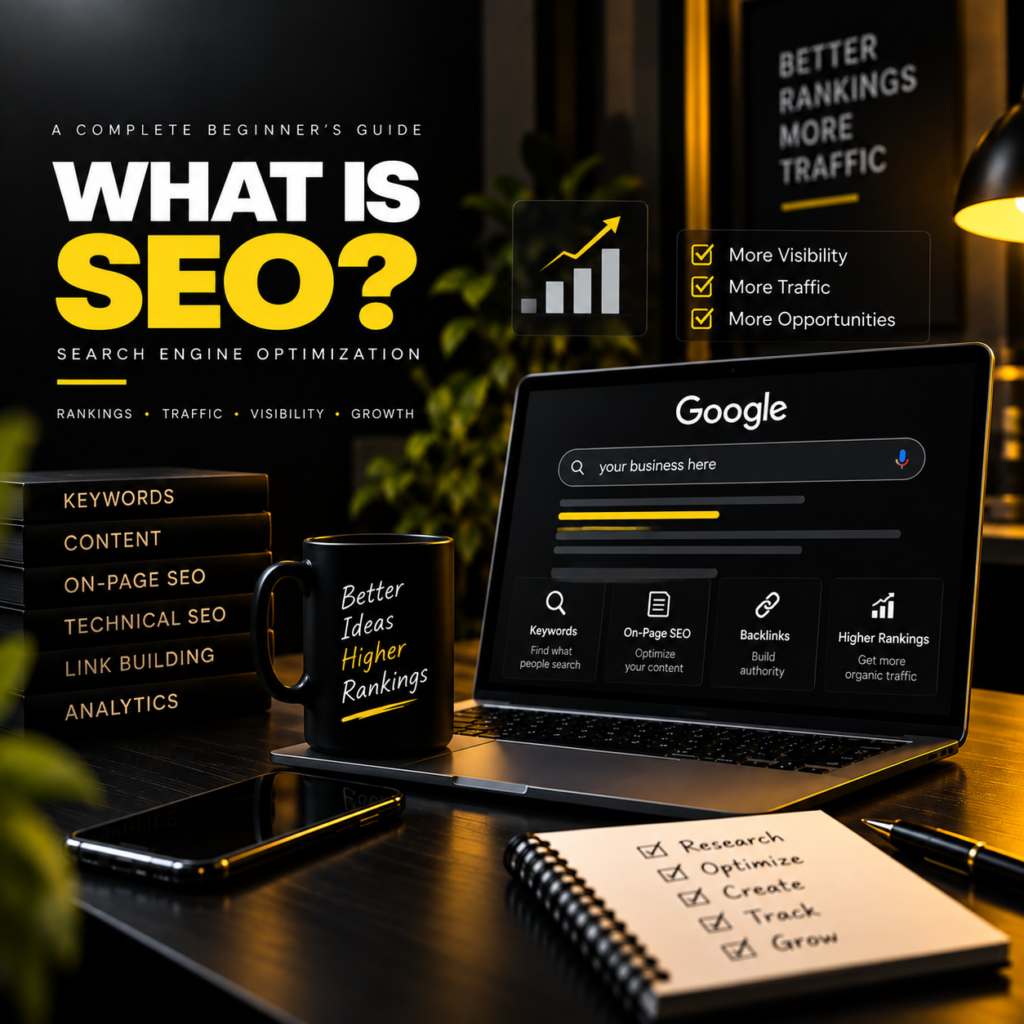
Have you ever searched for something on Google and wondered how certain websites appear at the top of the search results?
Maybe you searched for “best digital marketing course in Kozhikode,” “best graphic designer in Kerala,” or “how to create a website.” You probably clicked on one of the websites that appeared on the first page.
But have you ever thought about how those websites got there?
Why do some websites appear before others? How does Google decide which website should be shown first? And how can a small business improve its chances of being found online?
The answer to these questions is connected to SEO, or Search Engine Optimization.
SEO is one of the most important parts of digital marketing. It helps businesses improve their online visibility, attract relevant visitors, and create opportunities to connect with potential customers.
In this blog, let’s understand what SEO is, how it works, why it matters, and how beginners can start learning it.
What Is SEO?
SEO stands for Search Engine Optimization.
SEO is the process of improving a website and its content to help search engines understand it and make it easier for people to discover through relevant search results.
In simple words, SEO helps your website get found by people who are searching for something related to your business, products, services, or content.
Imagine you have a small web design business in Nilambur. You have created a professional website that showcases your services, portfolio, and contact details.
But there is one problem.
People do not know your website exists.
Even if your website looks attractive, it may not bring visitors if people cannot find it.
Now imagine someone searches on Google:
“Best website designer in Nilambur.”
If your website is relevant to that search and follows good SEO practices, it may have an opportunity to appear in the search results.
That is the basic idea behind SEO.
SEO is not about forcing your website to rank first overnight. It is about making your website useful, understandable, and relevant to the people you want to reach.
Why Is SEO Important in Digital Marketing?
Today, people use search engines for almost everything.
Before purchasing a product, choosing a service, visiting a restaurant, or learning something new, many people search online.
For businesses, this creates an important opportunity.
If your website appears when people are searching for something you offer, you may attract visitors who are already interested in your business.
For example, imagine a person searching for:
- Best digital marketing agency in Kerala.
- Graphic designer in Kozhikode.
- Website development services in Nilambur.
- Best digital marketing course near me.
These people are not just browsing randomly. They may be looking for a solution, service, or product.
A business that appears in relevant search results has a chance to connect with them.
This is why SEO is important.
1. SEO Helps Improve Online Visibility
Online visibility means how easily people can discover your business on the internet.
Having a website is only the first step. You also need to make sure people can find it.
SEO helps improve different parts of your website so search engines can better understand what your pages are about.
For example, if you run a graphic design business, your website should clearly explain:
- What services you provide.
- Who your services are for.
- Where you offer your services.
- What makes your work different.
- How people can contact you.
When your website provides clear and useful information, it becomes easier for users and search engines to understand your business.
Better visibility can create more opportunities to attract relevant visitors.
2. SEO Helps Attract Organic Traffic
One of the biggest benefits of SEO is organic traffic.
Organic traffic refers to visitors who reach your website through unpaid search engine results.
For example:
A person searches for “what is digital marketing?”
They see your blog in the search results.
They click on your website and read your article.
That visitor came through organic search.
You did not necessarily pay for that individual click.
However, attracting organic traffic requires effort. You need useful content, good website structure, relevant keywords, and a positive user experience.
SEO does not guarantee traffic, but it can help your website earn visibility over time.
3. SEO Helps Build Trust and Credibility
People often feel more comfortable with businesses that provide useful information and maintain a professional online presence.
Imagine you are looking for a digital marketer.
You find two websites:
Website A: Has a clear homepage, useful blog articles, service details, and a portfolio.
Website B: Has very little information and no clear explanation of its services.
Which website would you feel more comfortable contacting?
Most people would prefer the website that provides more useful information.
SEO supports this process by encouraging businesses to create helpful content and improve their website experience.
Ranking in search results alone does not guarantee trust. But a useful, reliable, and professional website can help build credibility with visitors.
4. SEO Supports Long-Term Business Growth
SEO is a long-term digital marketing strategy.
Paid advertising can help businesses reach people quickly while campaigns are running.
SEO focuses on improving organic visibility through website improvements and valuable content.
For example, a business publishes a helpful blog about choosing a website designer.
If that blog becomes visible for relevant searches, it may continue attracting visitors over time.
However, results are not guaranteed, and rankings can change depending on competition, search engine updates, content quality, and other factors.
That is why SEO requires consistency and continuous improvement.
How Do Search Engines Work?
To understand SEO, it is helpful to understand the basic process of search engines.
Search engines such as Google use automated systems to discover, understand, and organize web pages.
When someone searches for something, the search engine tries to provide results that are relevant and useful.
There are three important concepts to understand:
1. Crawling
Crawling is the process through which search engines discover web pages.
Search engines use automated programs, often called crawlers or bots, to find new pages and revisit existing pages.
For example, when you publish a new blog on your website, search engines may discover it through links or other available signals.
2. Indexing
Indexing is the process of storing and organizing information about web pages that a search engine can access and understand.
When a page is indexed, it may be eligible to appear in search results.
However, indexing does not guarantee that the page will rank highly.
A page can be indexed but still receive very little visibility.
3. Ranking
Ranking refers to the order in which search results are displayed for a search query.
Search engines use many signals to determine which results may be most useful for a particular search.
These can include relevance, content quality, website experience, and other factors.
For example, if someone searches for “what is SEO,” search engines try to show pages that best answer that question.
This is why creating helpful, relevant content is important.
What Are the Main Types of SEO?
SEO is not just one activity.
It includes different areas that work together to improve a website’s search visibility.
The three main types of SEO are:
- On-Page SEO.
- Off-Page SEO.
- Technical SEO.
Let’s understand each one with simple examples.
1. What Is On-Page SEO?
On-page SEO focuses on improving the content and elements within your website.
The goal is to help users and search engines understand what your page is about.
For example, if you are writing a blog about digital marketing, you should use a clear title, relevant headings, useful explanations, and keywords naturally.
Important On-Page SEO Elements
A. Keyword Optimization
Keywords are the words or phrases people type into search engines.
For example:
- What is digital marketing?
- What is SEO?
- Digital marketing course in Kozhikode.
- Best website designer in Nilambur.
Keyword research helps you understand what your audience may be searching for.
Once you identify relevant keywords, you can use them naturally in your content.
But remember:
SEO is not about adding the same keyword again and again.
Keyword stuffing can make content difficult to read and may violate search engine spam policies.
The best approach is to write naturally and focus on helping the reader.
B. SEO-Friendly Titles
The title of your blog helps users understand what the page is about.
For example:
Poor title:
SEO
Better title:
What Is SEO? A Beginner’s Guide to Search Engine Optimization
The second title is more descriptive and tells the reader what they can expect.
A good title should be clear, relevant, and attractive without making false promises.
C. Headings and Content Structure
Headings make your content easier to read.
Imagine opening a blog that contains one long paragraph with no headings.
It would be difficult to understand.
Now imagine the same blog divided into clear sections:
- What Is SEO?
- Why Is SEO Important?
- How Does SEO Work?
- Types of SEO.
- SEO Best Practices.
This structure improves readability and helps users find the information they need.
Search engines can also use headings to better understand the structure of your content.
D. Meta Description
A meta description is a short summary that may appear below a page title in search results.
For example:
“Learn what SEO is, why it matters, and how search engine optimization helps businesses improve online visibility and attract relevant visitors.”
A good meta description can help users understand your page and encourage relevant clicks.
However, search engines may choose to display a different snippet instead of your written meta description.
E. Image Optimization
Images make blog content more attractive and easier to understand.
But images should also be optimized.
Important image SEO practices include:
- Using descriptive file names.
- Adding meaningful alt text.
- Compressing images when appropriate.
- Using suitable image dimensions.
- Avoiding unnecessarily large image files.
For example, instead of naming an image:
IMG_1234.jpg
You could use:
digital-marketing-seo-workspace.jpg
A descriptive file name provides useful context about the image.
Alt text is especially important for accessibility and helps explain meaningful images when they cannot be viewed.
2. What Is Off-Page SEO?
Off-page SEO focuses on activities outside your own website that can support its reputation, visibility, and authority.
One important part of off-page SEO is earning backlinks.
What Are Backlinks?
A backlink is a link from another website to your website.
For example, imagine a marketing blog publishes an article about useful digital marketing tools and links to your website.
That link is a backlink.
Backlinks from relevant and trustworthy websites can help search engines discover pages and may contribute to how a website is evaluated.
However, not every backlink is valuable.
Low-quality or manipulative link-building practices can create problems.
The goal should be to earn relevant links naturally by creating useful content and building genuine relationships.
Other Off-Page SEO Activities
Off-page SEO may include:
- Earning relevant backlinks.
- Promoting useful content.
- Building brand awareness.
- Digital PR.
- Developing relationships with relevant websites.
- Managing your online presence.
For local businesses, activities such as maintaining accurate business information and building a strong local presence can also support local search visibility.
3. What Is Technical SEO?
Technical SEO focuses on the technical aspects of a website that help search engines access, understand, and process its content.
You do not need to be an expert programmer to understand the basics of technical SEO.
Even WordPress users should know some important concepts.
Important Technical SEO Factors
A. Website Loading Speed
Nobody likes waiting for a slow website.
Imagine clicking on a website and waiting several seconds for the page to load.
You may leave and visit another website instead.
Website performance affects user experience and is an important part of technical SEO.
To improve website speed, you can:
- Optimize images.
- Use a suitable hosting service.
- Reduce unnecessary plugins.
- Use caching where appropriate.
- Keep your website lightweight.
B. Mobile-Friendly Design
Many people browse the internet using smartphones.
If your website looks good on a desktop but is difficult to use on mobile, you may lose visitors.
A mobile-friendly website should have:
- Readable text.
- Proper spacing.
- Easy navigation.
- Responsive layouts.
- Buttons that are easy to tap.
Since you are learning WordPress and Elementor, checking the mobile version of your website should become part of your regular workflow.
C. Website Structure
A clear website structure helps users navigate your website.
For example:
Home → About → Services → Blog → Contact
Your blog posts should also be connected through relevant internal links.
A well-organized website makes it easier for users to discover more content.
D. Search Engine Accessibility
Search engines need to be able to access important pages on your website.
Technical SEO can include checking:
- Whether important pages are accessible.
- Whether pages are being indexed.
- Whether there are broken links.
- Whether your sitemap is available.
- Whether unwanted pages are blocked from crawling.
Not every page needs to be indexed, but important pages should be accessible and discoverable.
What Is Keyword Research?
Keyword research is the process of finding and understanding the words and phrases people use when searching online.
It is one of the most important steps in SEO.
Before writing a blog, you should ask:
What is my audience searching for?
For example, if you are writing about SEO, possible keywords include:
- What is SEO?
- SEO for beginners.
- Search engine optimization explained.
- How does SEO work?
- Importance of SEO in digital marketing.
These keywords help you understand what topics your audience may be interested in.
Short-Tail and Long-Tail Keywords
Short-Tail Keywords
Short-tail keywords are usually broad search terms.
Examples:
- SEO.
- Digital marketing.
- Website design.
These keywords can have broad search intent and may be highly competitive.
Long-Tail Keywords
Long-tail keywords are more specific search phrases.
Examples:
- What is SEO for beginners?
- How to improve SEO for a WordPress website.
- Best SEO strategies for small businesses.
Long-tail keywords can help you create content for more specific search needs.
However, search volume and competition vary, so keyword research should focus on relevance rather than only search volume.
What Is Search Intent?
Search intent means the reason behind a person’s search.
Understanding search intent helps you create content that matches what people actually want.
For example, someone searching for “what is SEO” probably wants to learn the basics.
Someone searching for “best SEO agency in Kozhikode” may be looking for a service provider.
These are different search intents.
Common Types of Search Intent
1. Informational Intent
The user wants to learn something.
Example:
“What is SEO?”
2. Navigational Intent
The user wants to find a specific website or page.
Example:
“HubSpot Academy login.”
3. Commercial Investigation
The user is researching options before making a decision.
Example:
“Best SEO tools for beginners.”
4. Transactional Intent
The user is ready to take an action, such as purchasing a product or booking a service.
Example:
“Buy website hosting.”
Understanding intent helps you choose the right content format and message.
How to Do SEO for a WordPress Website
Since WordPress is one of the platforms many beginners use to build websites, let’s look at some practical SEO steps.
Step 1: Choose a Clear Topic
Before writing a blog, decide what you want to explain.
For example:
“What Is SEO? A Beginner’s Guide.”
A clear topic helps you stay focused.
Step 2: Research Relevant Keywords
Think about what your audience may search for.
You can explore keyword ideas using tools such as Google Search, Google Trends, and keyword research platforms.
Choose keywords that are relevant to your topic and audience.
Step 3: Write Helpful Content
Create content that answers the reader’s questions.
Avoid writing only to increase word count.
A useful blog should be easy to understand, well-structured, and relevant.
Step 4: Optimize Your Title and Headings
Use a clear SEO title and organize your content with headings.
Make sure your title accurately represents the information in the blog.
Step 5: Add Internal Links
Internal links connect one page of your website to another page on the same website.
For example, in your SEO blog, you can link to your previous blog:
What Is Digital Marketing?
This helps readers discover related content.
Step 6: Optimize Images
Use relevant images, descriptive file names, and suitable alt text.
Compress images when needed to improve website performance.
Step 7: Check Mobile Responsiveness
Open your website on mobile and check:
- Is the text readable?
- Are buttons easy to click?
- Does the image fit properly?
- Is the page loading smoothly?
Step 8: Monitor Your Performance
Use tools such as Google Search Console to understand how your website appears in Google Search.
You can learn about:
- Search queries.
- Impressions.
- Clicks.
- Click-through rate.
- Indexed pages.
- Search performance.
Use this information to identify opportunities for improvement.
SEO vs Paid Advertising
SEO and paid advertising are both important parts of digital marketing, but they work differently.
SEO
SEO focuses on improving organic search visibility.
It usually requires:
- Useful content.
- Website optimization.
- Keyword research.
- Technical improvements.
- Consistent effort.
SEO results may take time, and rankings are not guaranteed.
Paid Advertising
Paid advertising involves paying platforms such as Google Ads or Meta Ads to display advertisements to a target audience.
For example, a business can run a Google Search campaign for people searching for website design services.
Paid ads can help businesses reach audiences quickly, depending on budget, targeting, and campaign performance.
Can SEO and Paid Ads Work Together?
Yes.
A business can use both strategies.
For example:
SEO can help attract organic visitors over time.
Paid ads can help promote a service or offer to a specific audience.
Using both strategies can support a broader digital marketing plan.
Common SEO Mistakes Beginners Should Avoid
When learning SEO, beginners often make a few common mistakes.
1. Keyword Stuffing
Adding the same keyword repeatedly does not automatically improve rankings.
Write naturally and focus on the reader.
2. Copying Content
Copying content from other websites is not a good long-term SEO strategy.
Create original, useful content that adds value.
3. Ignoring Mobile Users
A website that works poorly on mobile can create a bad user experience.
Always check mobile responsiveness.
4. Expecting Instant Results
SEO takes time.
There is no guaranteed method to rank first on Google instantly.
Results depend on many factors, including competition, website quality, content, and search engine changes.
5. Focusing Only on Rankings
Ranking is important, but it is not the only goal.
A successful SEO strategy should also consider:
- Relevant traffic.
- User experience.
- Leads.
- Conversions.
- Business growth.
A website that ranks well but does not help visitors may not achieve its business goals.
Real-Life Example: SEO for a Small Business
Let’s imagine you own a digital marketing service in Nilambur.
Your services include:
- Website design.
- SEO.
- Social media marketing.
- Graphic design.
You create a website and publish helpful blogs about digital marketing.
One of your blogs is:
“How to Choose the Right Digital Marketing Service for Your Business.”
You optimize the blog for relevant keywords, add useful information, include internal links, and promote it through social media.
Over time, people searching for digital marketing services may discover your website.
Some visitors may explore your portfolio, read your other blogs, and contact you.
This is how SEO can support the customer journey.
However, actual results depend on your website, competition, content quality, and many other factors.
Important SEO Tools for Beginners
If you are learning SEO, these tools can help you understand and improve your website.
Google Search Console
Helps website owners understand how their site performs in Google Search.
Google Analytics
Helps you understand website traffic and user behavior.
Google Trends
Helps explore search interest and trends over time.
Google Keyword Planner
Useful for discovering keyword ideas and researching search-related data, especially for Google Ads planning.
WordPress SEO Plugins
SEO plugins can help you manage page titles, meta descriptions, sitemaps, and other SEO settings.
Examples include popular plugins such as Yoast SEO and Rank Math.
Remember that installing an SEO plugin alone does not guarantee higher rankings. Your content and overall website quality still matter.
How Can You Start Learning SEO?
If you are a beginner, do not try to learn everything in one day.
Start with the basics and practice on a real website.
Here is a simple learning path:
Week 1: SEO Basics
Learn:
- What is SEO?
- How search engines work.
- Crawling, indexing, and ranking.
- Search intent.
Week 2: On-Page SEO
Practice:
- Keyword research.
- SEO titles.
- Headings.
- Meta descriptions.
- Image optimization.
Week 3: Technical SEO
Learn:
- Website speed.
- Mobile responsiveness.
- Sitemaps.
- Indexing.
- Internal linking.
Week 4: Practical SEO Project
Choose a website or blog and practice:
- Finding keywords.
- Optimizing one blog post.
- Improving the page title.
- Adding internal links.
- Checking performance.
Practical experience is one of the best ways to improve your SEO skills.
Conclusion
SEO is an essential part of digital marketing because it helps businesses improve their online visibility and connect with people who are searching for relevant information, products, and services.
It is not simply about ranking first on Google.
It is about creating useful content, improving website performance, understanding your audience, and making it easier for people to discover your business.
Whether you are a small business owner, a blogger, a freelancer, or a digital marketing beginner, learning SEO can help you build a stronger online presence.
The most important thing is to stay consistent, keep learning, and focus on providing real value.
SEO is not about tricking search engines. It is about helping the right people find the right information at the right time.
Final Thought
Every website has a story to tell.
SEO helps that story reach the people who are looking for it.
Keep learning. Keep practicing. Keep improving.
Your digital growth starts with being discoverable.